
Download PDF Reader Premium – Free PDF Viewer, Edit & Sign Tool
Overview
PDF Reader Premium, also marketed as Doc Expert PDF Reader Pro, is a full‑featured PDF solution that blends the simplicity of a classic reader with the power of a professional editor. Designed for both casual users and business professionals, the app lets you open any PDF document in seconds, add annotations, insert signatures, and export pages to popular formats such as Word, Excel, JPG, and plain text. The interface mimics the familiar layout of traditional desktop readers – a toolbar at the top, a thumbnail pane on the left, and a clean viewing area in the centre – so users can start working without a steep learning curve.
Security is baked in; the software supports password‑protected PDFs, digital certificates, and redaction tools that permanently remove sensitive information. Regular updates keep the file handling engine compatible with the latest PDF standards, ensuring that even the most complex forms render accurately. Whether you need to review a contract on a Windows laptop, sign an invoice on an Android phone, or annotate a research paper on a Mac, PDF Reader Premium offers a seamless, cross‑platform experience.
Its lightweight footprint means it runs smoothly on older hardware while still providing high‑resolution rendering for modern displays. In short, the app is a versatile, secure, and user‑friendly PDF companion that eliminates the need for multiple niche tools.
Key Features of PDF Reader Premium
- Universal PDF Viewing: Lightning‑fast rendering of PDFs up to 500 MB, with smooth zoom, continuous scroll, and night‑mode reading.
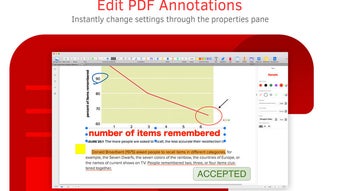
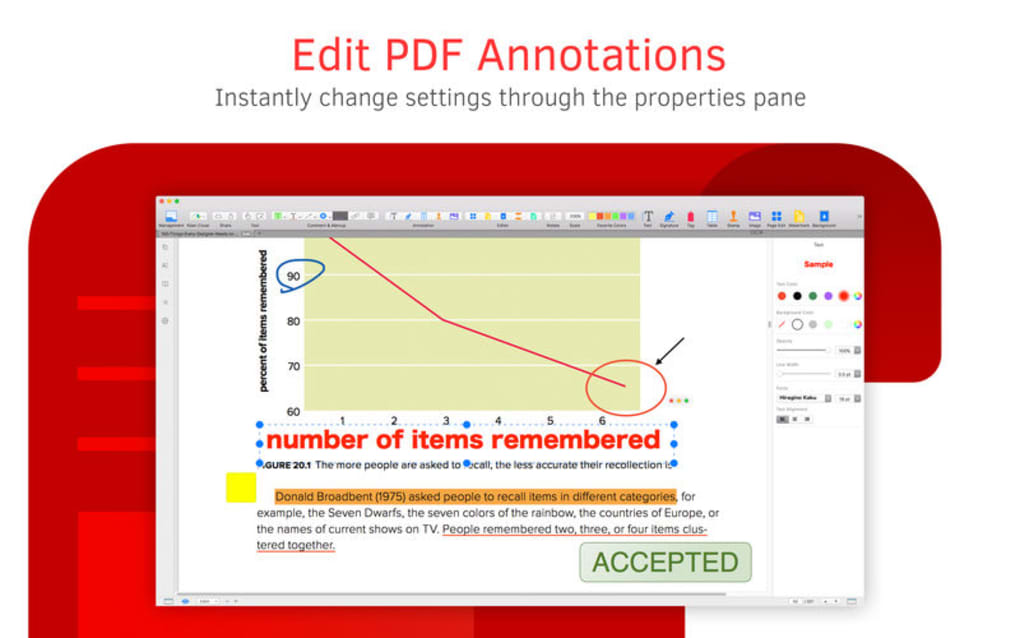
- Advanced Annotation Suite: Highlight, underline, strike‑through, add sticky notes, draw shapes, and insert custom stamps.
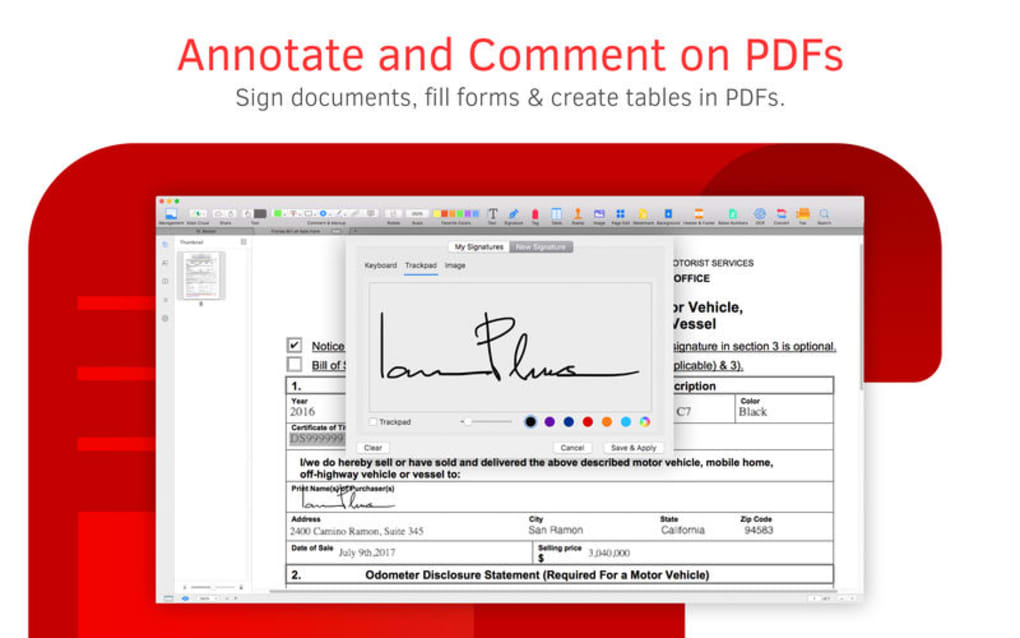
- Digital Signature & Signing: Create a personal signature, use cryptographic certificates, and apply signatures with one click.
- Conversion & Export: Convert PDFs to DOCX, XLSX, PPTX, TXT, JPG, PNG, and EPUB without losing layout fidelity.
- Form Filling & Creation: Fill interactive form fields, add new form elements, and save completed forms locally or to the cloud.
- Redaction & Security: Permanently erase text, images, or metadata; set passwords; and apply permissions for printing or editing.
- Cloud Sync & Collaboration: Sync files with Google Drive, Dropbox, OneDrive, and iCloud; share annotated PDFs via a secure link.
- Multi‑Platform Support: Native apps for Windows 10/11, macOS 10.14+, Android 6.0+, and iOS 12+ with consistent UI.
- Batch Processing: Merge multiple PDFs, split documents by page range, and apply watermarks in bulk.
- Regular Updates & Support: Automatic updates ensure compatibility with the latest PDF specifications and OS releases; dedicated help desk available 24/7.
Installation, Setup, and Compatibility
Getting started with PDF Reader Premium is intentionally straightforward. For desktop users, visit the official website and click the “Download for Windows” or “Download for macOS” button. The installer is a compact .exe (Windows) or .dmg (macOS) file that verifies its digital signature before launching, guaranteeing a secure install free from adware. Run the installer, accept the license agreement, and choose the default installation path (or a custom folder if you prefer). The wizard then registers the app as the default PDF handler, allowing you to double‑click any PDF file and open it directly in PDF Reader Premium.
Mobile users simply head to Google Play Store or Apple App Store, search for “PDF Reader Premium”, and tap “Install”. The app’s size is under 50 MB, making it ideal for devices with limited storage. After installation, the first launch prompts you to grant access to files and, optionally, to cloud storage services for seamless syncing.
Supported Operating Systems: Windows 10, Windows 11, Windows 8.1 (64‑bit); macOS 10.14 (Mojave) and later; Android 6.0 (Marshmallow) and later; iOS 12 and later. The software also runs on popular Linux distributions via a compatibility layer, though native support is focused on the four major platforms.
Once installed, the initial setup wizard walks you through essential preferences: default view mode (single page, continuous, or thumbnail), annotation colour palette, and signature storage location. You can also enable automatic updates, which run in the background and notify you when a new version is ready. For teams, an optional “Enterprise License” unlocks centralized management, allowing administrators to push configuration profiles and enforce security policies across all user devices.
Pros and Cons
Pros
- Intuitive, familiar interface that shortens the learning curve for new users.
- Comprehensive feature set—viewing, annotating, signing, converting, and redacting—all in one app.
- Cross‑platform availability ensures a consistent experience on Windows, macOS, Android, and iOS.
- Secure handling of sensitive documents with password protection, digital certificates, and permanent redaction.
- Free basic version with optional premium upgrades; no hidden adware or forced upgrades.
- Regular, automatic updates keep the software compatible with the latest PDF standards.
- Robust cloud integration for easy collaboration and backup.
Cons
- Advanced batch processing features are locked behind the paid “Pro” tier.
- While the mobile UI is powerful, very large PDFs (over 300 MB) may load slower on older Android devices.
- Some users report that the default export to Excel occasionally mis‑aligns complex tables.
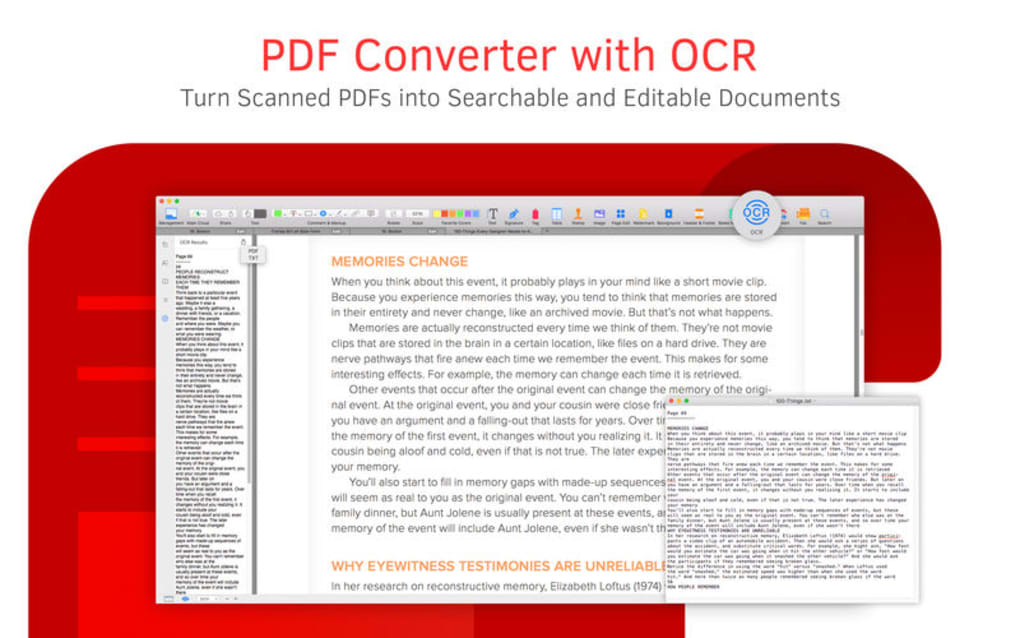
- The free version does not include OCR (optical character recognition) for scanned documents.
- Enterprise license pricing is higher than some competing solutions, which may deter small businesses.
Conclusion
PDF Reader Premium delivers a well‑rounded, secure, and user‑friendly solution for anyone who works with PDF files on a daily basis. Its blend of classic reading comfort and modern editing capabilities means you no longer need to juggle multiple applications just to sign, annotate, or convert a document. Whether you’re a student marking up lecture notes, a legal professional reviewing contracts, or a small business owner processing invoices, the tool’s cross‑platform reach and cloud‑ready design keep your workflow fluid and your data protected.
The free version already offers a generous feature set, while the optional premium upgrade unlocks powerful batch tools, OCR, and advanced security controls. Because the app is regularly updated and backed by responsive support, you can trust that your PDFs will render accurately now and in the future. Ready to experience a smoother PDF workflow? Download PDF Reader Premium today and start editing, signing, and sharing PDFs with confidence.
Frequently Asked Questions
Is PDF Reader Premium completely free?
The core viewer, basic annotation tools, and simple conversion features are free. Advanced capabilities such as batch processing, OCR, and enterprise management require a paid Pro license.
Can I use PDF Reader Premium on multiple devices with a single license?
Yes. A single Pro license can be activated on up to three devices of your choice, covering Windows, macOS, Android, or iOS.
How does the app protect my confidential PDFs?
PDF Reader Premium supports password protection, digital certificates, and redaction tools that permanently remove sensitive data. All cloud syncs are encrypted using TLS 1.3.
Does the mobile version support annotation and signing?
Absolutely. The Android and iOS apps include the full annotation toolbar and a touch‑optimized signature pad, allowing you to sign documents on the go.
What file formats can I export a PDF to?
PDF Reader Premium can export PDFs to DOCX, XLSX, PPTX, TXT, JPG, PNG, and EPUB while preserving layout and formatting as much as possible.







